Remove Image Background Online — Free
AI background removal in your browser — no upload, transparent PNG output
Drop any photo and get a transparent PNG back in seconds. The AI model runs entirely in your browser using WebAssembly — your images are never uploaded anywhere. No account, no watermarks, no sketchy ads, no fake download buttons. Works on portraits, product photos, logos, and pets. The first run downloads the AI model (~22 MB, one-time), then every subsequent removal is near-instant thanks to browser caching.
Your Files Never Leave Your Browser
Conversions run locally in your browser using the Canvas API, with Web Workers used when supported. Your image data stays on your device and is never uploaded to any server.
We use Google Analytics and Google AdSense for aggregated traffic stats and contextual ads when consent allows it. Theme and language preferences stay in your browser. We never see, read, or store the images you convert.
Browser-based conversion has trade-offs: large files (>50 MB) may hit memory limits; animated GIF output flattens to a single frame; EXIF metadata is stripped; ICC color profiles may differ across browsers.
> how_to_remove_background
- Upload your photoDrag and drop any image (JPG, PNG, WebP) into the tool above, or click to browse. Portraits and product photos on clear backgrounds work best.
- Click Remove BackgroundThe first time, the AI model (~40 MB) downloads to your browser — this is a one-time download that takes 5–30 seconds. A progress bar shows the download. After that, the model is cached and starts instantly.
- Download your transparent PNGThe result is shown on a checkered background to visualize the transparent areas. Click Download PNG to save. Use it in Canva, Figma, Google Slides, or any app that supports PNG transparency.
> best_use_cases
| Use case | Works well? | Notes |
|---|---|---|
| Person / portrait | ✓ Excellent | IS-Net handles hair and skin edges well |
| Product on white/plain background | ✓ Excellent | High contrast makes clean cuts |
| Animals / pets | ✓ Good | Works well, may struggle with fur details |
| Logo / graphic | ✓ Good | Clean edges for simple logos |
| Complex scene with many objects | ⚠ Fair | May not isolate a single subject correctly |
| Subject same color as background | ✗ Poor | AI needs contrast to detect edges |
| Very high resolution (>4K) | ⚠ Note | Downscaled to 1024px before processing |
> privacy_comparison
| Architectural Feature | Traditional Cloud-Based Tools | tooldev.app (Client-Side WebAssembly) |
|---|---|---|
| Data Transmission | Uploaded to remote corporate servers | Zero — 100% local execution |
| Privacy Guarantee | Data deleted after 60-min holding period | Absolute — never leaves your device |
| Account Requirement | Mandatory for HD downloads | None — zero-registration access |
| Processing Latency | Depends on upload bandwidth + server queue | Depends only on local hardware |
| Financial Cost | Freemium — strict daily limits | Unlimited free usage, no paywalls |
Real Proof — A Cutout, Measured Pixel-by-Pixel
"AI removes the background" is easy to claim, so we ran the test and inspected the pixels. We generated an owned studio-style subject (a shaded red sphere with a specular highlight and a soft ground shadow, on a seamless grey backdrop), uploaded it into this exact tool's file input, clicked Remove Background, waited for the real on-device IS-Net model to finish, and then read back the precise PNG the tool produced and examined its alpha channel. No mock-ups, no stock "after" image — the picture below is the literal output blob, faint edge fragments and all.
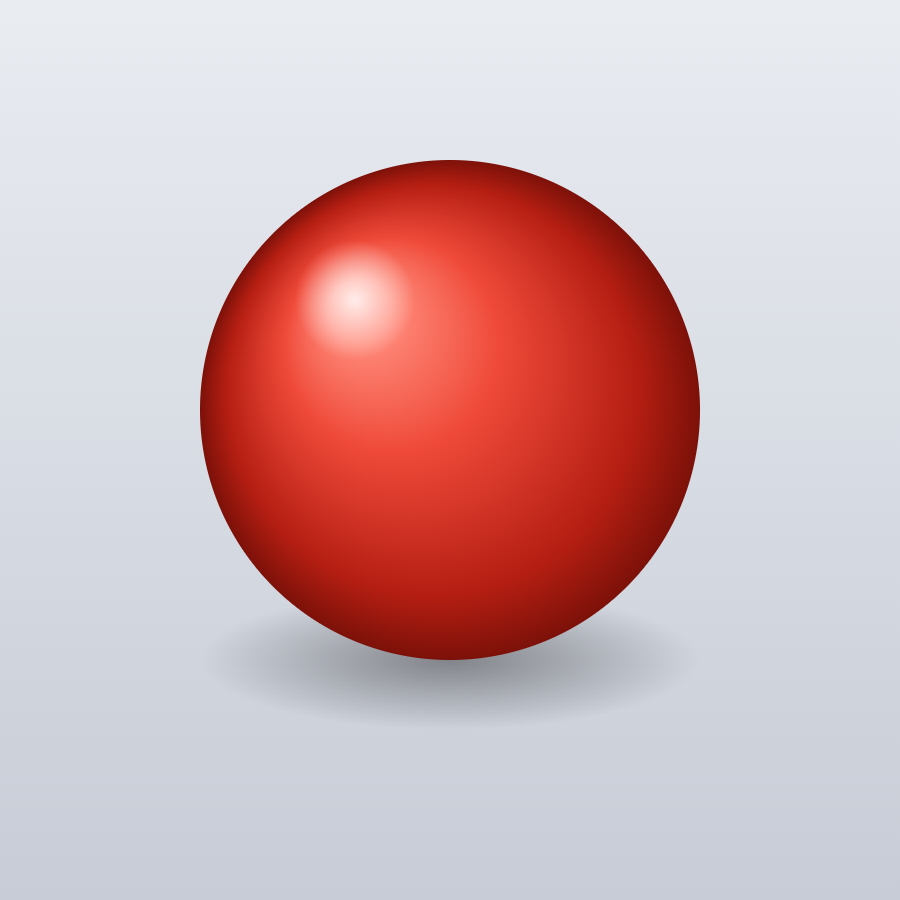
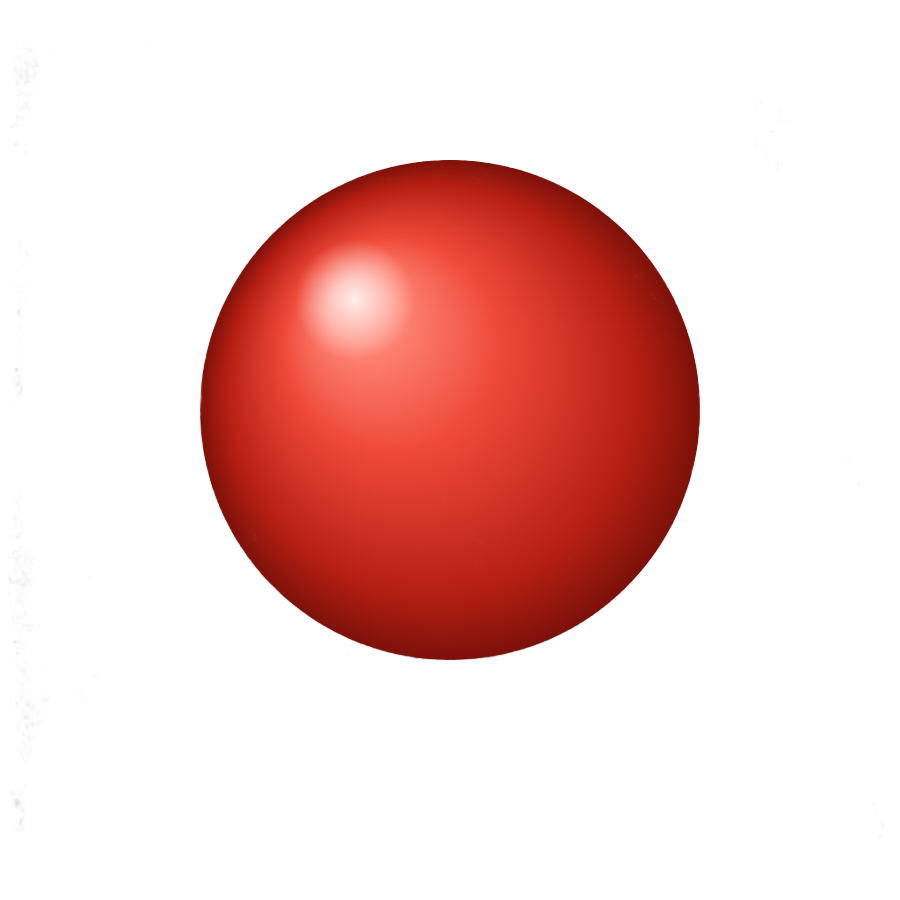
| Measurement | Result | What it means |
|---|---|---|
| Output format | PNG, 900 × 900, 303.8 KB | Same dimensions, now with an alpha channel |
| Near-transparent pixels (α<16) | 75.1% | Most of the backdrop + shadow gone |
| Near-opaque pixels (α>240) | 24.1% | The sphere body, kept solid |
| Four corner samples | alpha 0 / 0 / 0 / 0 | Sampled corners are fully transparent |
| Subject centre sample | alpha 254 | Sampled centre stayed near-opaque |
Why this matters: a real cutout has to do two opposite things at once — drop the background toward transparent and keep the subject solid. The numbers show both happening: 75% of the image went near-transparent, the four sampled corners came back at alpha 0, and the sampled centre of the sphere held at alpha 254 out of 255. The soft ground shadow was largely treated as background and removed, though — as the caveats note and the after image shows — faint fragments remain near the extreme edges; this is a per-pixel AI mask, not a hand-traced path. And this was a deliberately clean studio subject chosen to be measurable; your own photos — hair, fur, glass, motion blur, or a cluttered background — are harder, so read the caveats below before expecting pixel-perfect edges every time.
Methodology & honest caveats
The subject is an image we generate ourselves in-page (no third-party photo) and save as subject.png. It is uploaded into the live background-remover.html page in headless Chromium and processed through the page's own controls — the same src/js/bg-remover.js pipeline (@imgly/background-removal 1.7.0, IS-Net isnet_quint8 WASM model) a real visitor uses. The output is read back from the exact Blob the tool produced and its alpha channel is inspected pixel by pixel; nothing is estimated. The script is in our repository at scripts/bg-remover-proof.mjs.
- This is an easy case. A high-contrast subject on a seamless backdrop is close to ideal for IS-Net. Real photos with low subject/background contrast are harder and will not always score this cleanly.
- Edges are where AI cutouts struggle. Fine hair, fur, whiskers, and frizz often come out partly cut or slightly soft. The model produces a per-pixel mask, not a hand-traced path — expect minor matting artifacts at complex edges (you can see faint ones at the far corners of the result above).
- Translucency is approximated. Glass, smoke, water, and motion blur are semi-transparent in reality; the model has to guess a single alpha value, so results vary.
- Busy or low-contrast backgrounds (subject the same colour as what's behind it) are the most likely to leave fragments or over-cut the subject.
- Output is always a transparent PNG. If you need a solid colour behind the subject instead, drop the result into our converter or resizer afterwards — JPG will flatten transparency to white.
> real_world_uses
Removing a background is rarely the whole job — it is usually one step in getting an image ready to publish. Here are the three things people most often reach for this tool to do, and how the transparent PNG it hands back fits into each workflow.
Product and marketplace photos
Marketplaces like eBay, Etsy, Amazon, and Shopify reward clean product shots: a consistent white or transparent background makes a listing look professional and keeps the buyer's eye on the item itself. Drop a product photo here, remove the cluttered background, and you get a transparent PNG you can place on any backdrop or leave cut out. Because everything runs in your browser, you can work through a full catalogue without uploading a single file or hitting a per-image paywall. Once the background is gone, most stores expect every image at the same dimensions — send the cutout straight to our image resizer to standardise sizes before you upload.
Profile pictures and avatars
A transparent cutout is a quick way to build a polished profile picture or avatar. Remove the background from a selfie and you can drop yourself onto a solid brand colour, a gradient, or a team backdrop for Slack, LinkedIn, Discord, or a forum. The IS-Net model keeps hair and shoulder edges intact, and the output PNG carries a real alpha channel, so nothing shows a white box behind your head. Planning to share the original photo somewhere too? Pictures straight off a phone can carry GPS location and device metadata — run them through our EXIF remover first so you are not leaking where the shot was taken along with your new avatar.
Presentations and design mockups
Slides and mockups look amateur the moment a pasted image drags a white rectangle across the layout. A transparent PNG sits cleanly on any slide background, so logos, product shots, and people can be arranged freely in Google Slides, PowerPoint, Keynote, Canva, or Figma. Designers use the same trick for moodboards and mockups — cut the subject out once and reuse it across frames without re-masking each time. The tool downscales very large inputs to 1024px on their longest side before processing (a safeguard against mobile browser crashes), so the cutout it returns is capped at 1024px on the longest side — ample for on-screen slides, web mockups, and avatars, but not the resolution you would need for large-format print.